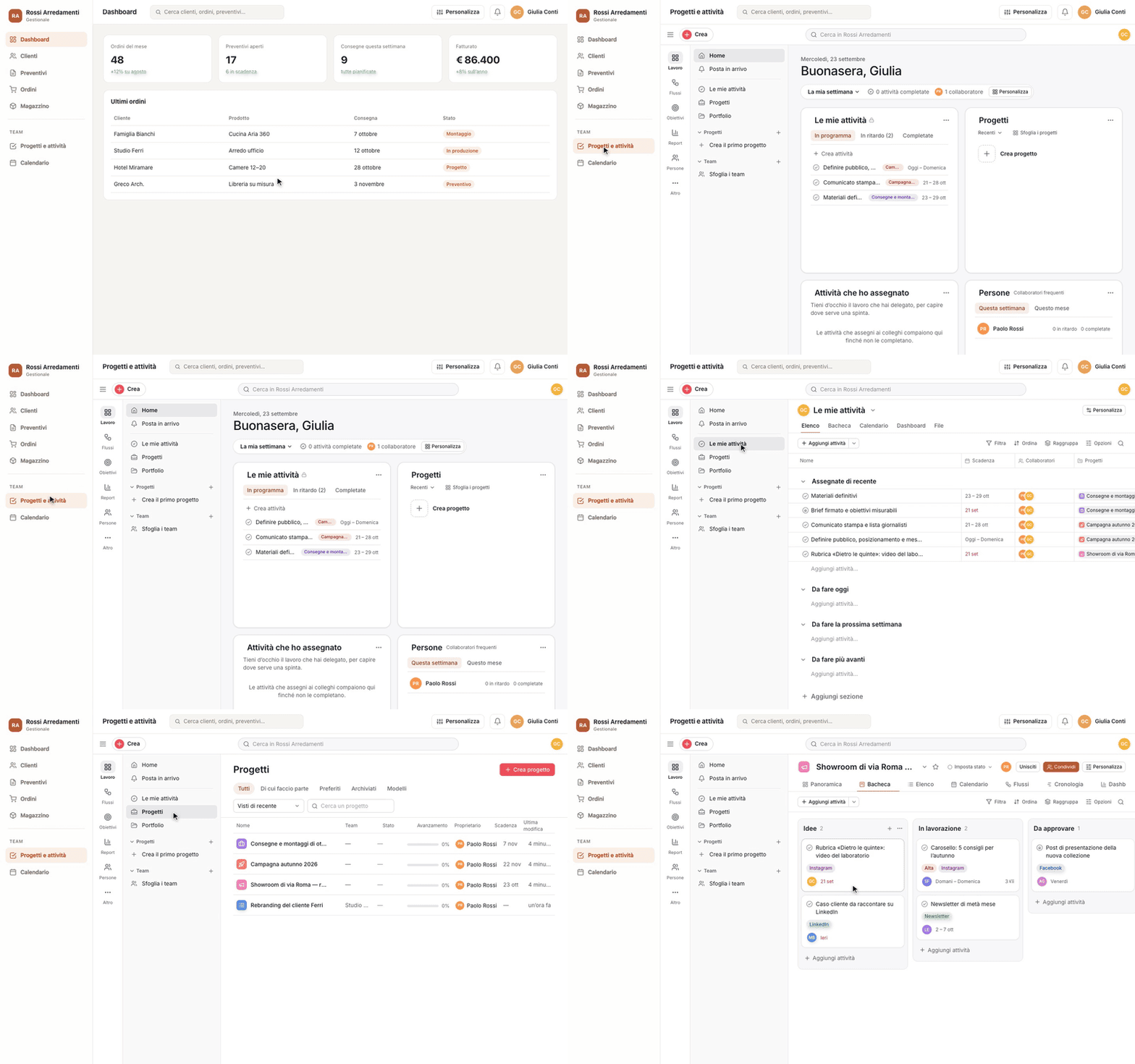
A secure frame, automatic sign-in for your people, and people and notifications kept in sync with your platform. Everything you need to integrate it, with examples ready to copy.
Omega Work slots into your software like a module: your people work on projects, tasks and boards without leaving your software, in your colours, and without a second login. There are three levels, each building on the one before:
The frame. Paste an <iframe> into the page and people sign in with their Omega Work email and password. No server-side code needed.
Automatic sign-in. Your server asks Omega Work for a ticket for the person signed in to your software, and the frame opens already signed in, with their account. No password to remember.
The full module. Your software creates and suspends people in Omega Work when you enable or remove the module, receives notifications (for its own bell) through a signed webhook, and can send alerts to the Omega Work inbox.
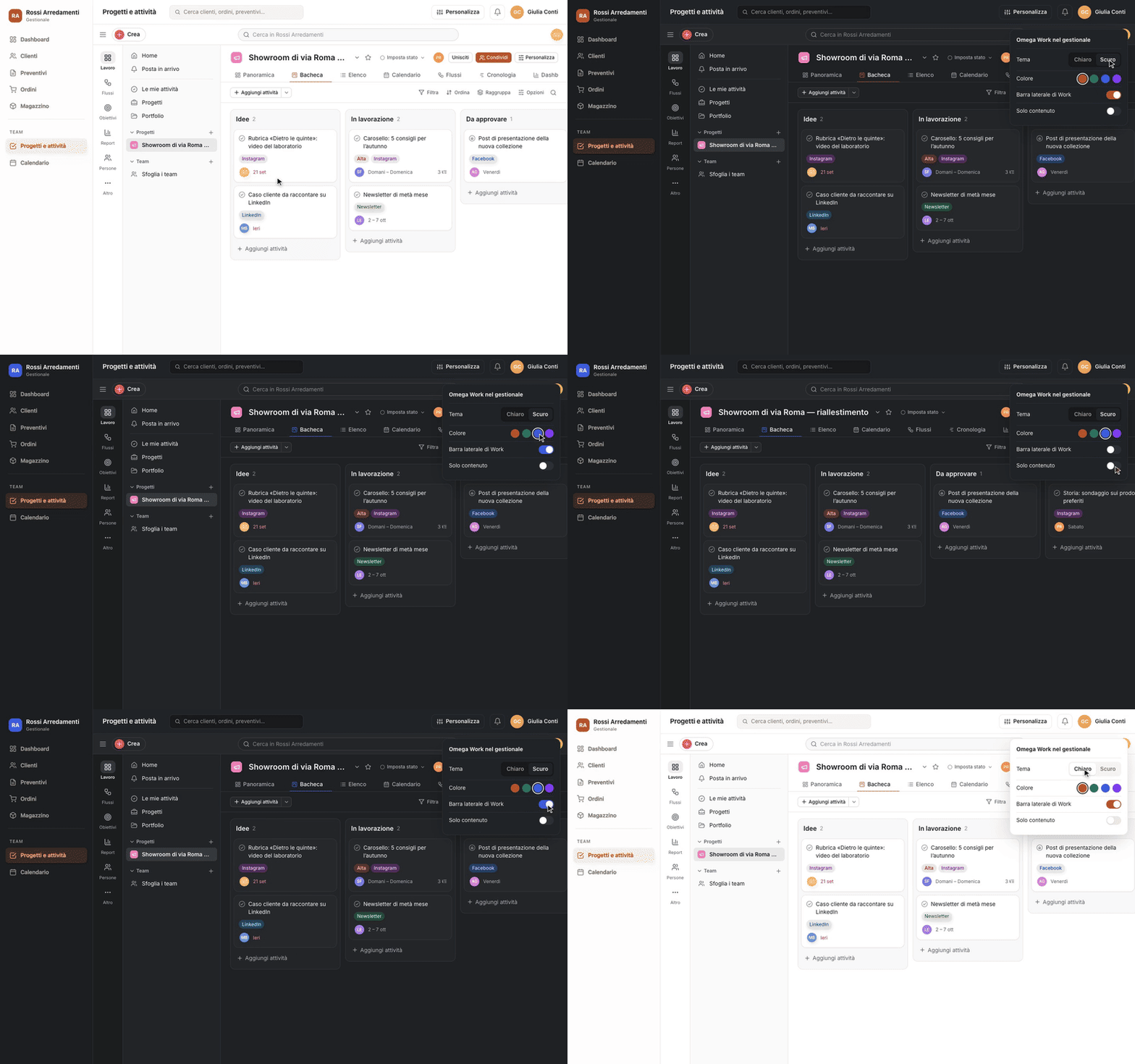
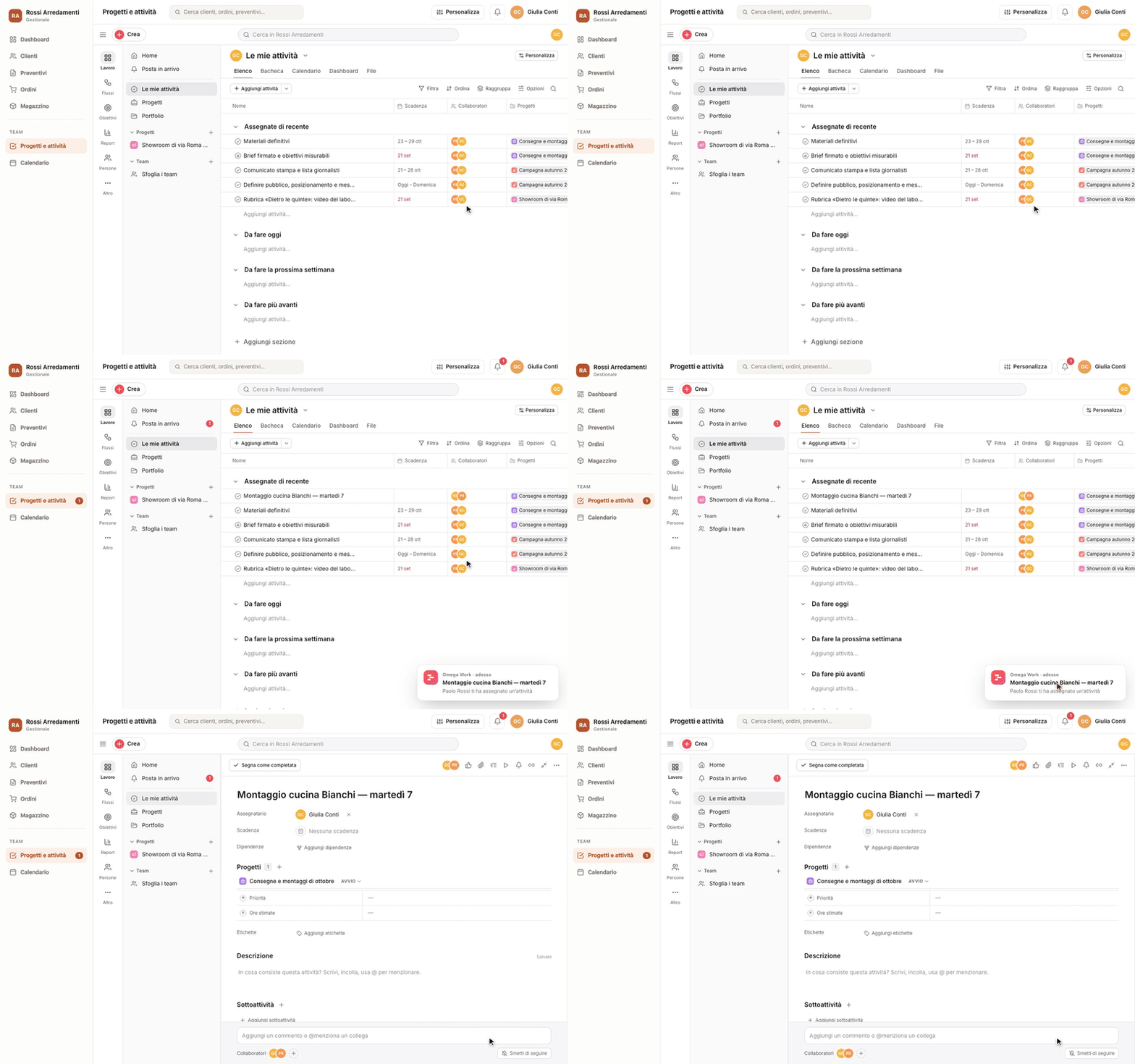
Sign in without a password · GIFYour software’s colour and shape · GIFNotifications in your own bell · GIF
Everything is configured by the workspace owner: Admin console → Embed. That’s where you get the frame’s public key, the secret keys for your server and the webhook secret.
In the Embed tab, authorise your software’s address (for example https://app.yourcompany.com) and turn the frame on.
If your site has a Content-Security-Policy, add frame-src https://work.omegasuiteapp.com (and script-src https://work.omegasuiteapp.com if you use the SDK).
Paste the frame into the page where you want Omega Work:
The frame’s address is https://work.omegasuiteapp.com/embed/‹public key›. The public key is in the HTML of anyone who opens the page, and that’s fine: on its own it opens nothing. You need a workspace member’s credentials (or a ticket from your server), and the browser only draws the frame inside authorised websites.
sandbox: the frame can’t navigate your page or open windows without a click. Don’t remove allow-same-origin (without it Omega Work can’t keep the session) and don’t add allow-top-navigation.
Inside the frame people work: tasks, projects, boards, goals, people. Administration, subscription, integrations and keys open in an Omega Work tab.
To open a specific page: ?to=/app/my-tasks, ?to=/app/project/42, ?to=/app/task/1234. Only works inside /app.
Give it any height you like: Omega Work fills the frame and scrolls inside it.
The owner chooses the starting appearance in the Embed tab. If they allow it (on by default), your software can change it from the frame’s address, from the automatic sign-in ticket, or on the fly with a message.
Parameter
Values
Effect
theme
light · dark · system
Forced light or dark theme, or the person’s system setting.
accent
158063 (hex, without #)
Your brand colour on primary actions, selection and focus. The text on top darkens automatically if the colour is light.
hide
topbar,rail,sidebar,create,search,help,logout
Removes the listed parts: top bar, section rail, sidebar, “Create”, search, help, “Sign out”.
chrome
none · minimal
none: content only, no shell. minimal: sections and sidebar removed, the top bar stays.
Your server, using a secret key (omw_sk_live_…, sso permission), requests a ticket for the person signed in to your software. The ticket is valid for 60 seconds and once only; the frame exchanges it for a session (8 hours at most, after which the SDK quietly requests another).
Browser→ GET /api/work-ticket →Your server→ POST /tickets →Omega Work← ticket ←Frame
// YOUR backend. The secret key lives in an environment variable, never in the browser.
app.get('/api/work-ticket', requireLogin, async (req, res) => {
  const r = await fetch('https://work.omegasuiteapp.com/api/embed/v1/tickets', {
    method: 'POST',
    headers: {
      authorization: `Bearer ${process.env.OMEGA_WORK_SECRET}`,
      'content-type': 'application/json',
    },
    body: JSON.stringify({ email: req.user.email }),
    signal: AbortSignal.timeout(10_000),
  });
  if (!r.ok) return res.status(502).json({ error: 'omega_work_unavailable' });
  const { ticket } = await r.json();
  res.set('cache-control', 'no-store').json({ ticket });
});
The ticket reaches the frame in one of three ways, best first:
The SDK (fetchTicket): requests the ticket from your server, passes it in a message, and requests another when the session expires. Nothing else to do.
The fragment: src="…/embed/EMBED_PUBLIC_KEY#omw_ticket=omw_tk_…". The fragment isn’t sent with requests, never ends up in logs or the Referer, and Omega Work deletes it as soon as it reads it. Never put it in the query string (?ticket=).
The message: when the frame sends omega-work:need-ticket, reply with iframe.contentWindow.postMessage({ type: 'omega-work:auth', ticket }, 'https://work.omegasuiteapp.com').
Rules: the person must be active in the workspace. The owner always signs in with their password (this can be changed in the tab); admins can use automatic sign-in by default. With “automatic sign-in only”, the password form disappears from the frame and every opening requests a new ticket: someone using the same computer after a colleague won’t end up in their account.
With the members:write permission your software keeps people in sync: when you enable the module for someone, it creates them in Omega Work; when you remove it, it suspends them. The operation is idempotent: repeating it doesn’t create duplicates.
In the Embed tab, set your server’s address and choose the events. Omega Work sends a POST in the Standard Webhooks format, signed with the whsec_… secret: always verify it, and reject requests older than 5 minutes.
// npm i standardwebhooks
import { Webhook } from 'standardwebhooks';
const wh = new Webhook(process.env.OMEGA_WORK_WEBHOOK_SECRET); // "whsec_…"

// The body must be read RAW: the signature covers the exact bytes.
app.post('/omega-work/webhook', express.raw({ type: 'application/json' }), (req, res) => {
  let evt;
  try {
    evt = wh.verify(req.body, req.headers); // checks signature and timestamp (±5 min)
  } catch {
    return res.sendStatus(401);
  }
  // webhook-id stays the same across retries: use it to avoid doing the same thing twice.
  if (evt.type === 'notification.created') {
    const { recipient, notification, unread } = evt.data;
    notifyInYourBell(recipient.email, notification.title ?? 'New notification in Omega Work', notification.path, unread);
  }
  res.sendStatus(204);
});
Event
When
notification.created
A person receives a notification in Omega Work (assignments, mentions, comments, due dates…). Includes the unread count.
member.provisioned
A person added or reactivated via the API.
member.deactivated
A person suspended via the API.
session.started
Someone signs in to the frame (with a password or automatic sign-in).
webhook.test
The “Send a test” button in the tab.
Retries if your server doesn’t respond with 2xx: after 5 s, 5 min, 30 min, 2 h, 5 h, 10 h, 14 h, 20 h and 24 h. The log of recent deliveries, with the response received, is in the Embed tab; you can resend a delivery from there.
From your software to Omega Work
curl -X POST https://work.omegasuiteapp.com/api/embed/v1/members/sarah.mitchell%40yourcompany.com/notifications \
  -H "Authorization: Bearer $OMEGA_WORK_SECRET" \
  -H "Content-Type: application/json" \
  -H "Idempotency-Key: order-8812-confirmed" \
  -d '{"title":"Order 8812 confirmed","text":"The client has signed: you can schedule the delivery.","path":"/app/project/42"}'

# 201 { "id": 991, "created_at": "…" }   — appears in Sarah’s inbox
In the browser
While the frame is open you also get omega-work:unread (the count) and, if the owner shares the text, omega-work:notification with title and sentence: for a pop-up alert in your software.
Omega Work talks to the host page with postMessage, only towards authorised origins. On your side, always check event.origin === 'https://work.omegasuiteapp.com' and event.source === iframe.contentWindow (the SDK does it for you).
From Omega Work
Data
omega-work:ready
Open and connected.
omega-work:navigate
path, title of the open page.
omega-work:unread
count: unread notifications.
omega-work:notification
title, text, path (if the owner shares the text).
omega-work:need-ticket
A ticket is needed: reply with omega-work:auth.
omega-work:session-expired
The session has expired.
omega-work:signed-out
The sign-in screen is showing.
omega-work:error
code, message (for example cookies_blocked).
To Omega Work
Data
omega-work:auth
ticket
omega-work:set-theme
theme: light · dark · system
omega-work:set-accent
accent: "#rrggbb" or null
omega-work:set-chrome
topbar, rail, sidebar: true/false
omega-work:navigate-to
path: /app/…
Omega Work doesn’t accept commands from the frame that read or write data: that’s what the server API is for.
Base: https://work.omegasuiteapp.com/api/embed/v1 · authentication Authorization: Bearer omw_sk_live_… · JSON body · from your server only (requests from a browser are rejected, and there’s no CORS).
Method and path
Permission
What it does
GET /me
—
The workspace, the key, the frame, the plan’s seats.
GET /members
members:read
The people in the workspace.
GET /members/{email}
members:read
One person.
PUT /members/{email}
members:write
Adds or reactivates (idempotent).
DELETE /members/{email}
members:write
Suspends.
POST /tickets
sso
Automatic sign-in ticket (60 s, single use).
GET /members/{email}/notifications
notifications:read
Unread count and latest notifications.
POST /members/{email}/notifications
notifications:write
An alert in the inbox.
POST /webhooks/test
—
A test event to the webhook.
Idempotency-Key on POST and PUT: the same request repeated within 24 hours gets the same response (Idempotent-Replayed: true) without being redone; the same key with a different body returns 422.
Every response includes X-Request-Id and RateLimit-Limit / RateLimit-Remaining / RateLimit-Reset.
The version is in the path (/v1): breaking changes come in a /v2, with at least six months’ notice.
Content-Security-Policy: frame-ancestors with only the authorised websites, on every frame page: it isn’t drawn anywhere else.
The frame session is separate from the main Omega Work session, in a __Host-, Secure, HttpOnly, SameSite=None, Partitioned (CHIPS) cookie: it lives only inside your website.
No administration inside the frame: console, subscription, integrations, keys and passwords stay outside.
Secret keys with a prefix and check digits (recognised by secret scanners), stored only as a hash, with minimal permissions, allowed IPs, expiry, last use and instant revocation.
Opaque, single-use, 60-second tickets, never in the URL query string.
Signed webhooks (Standard Webhooks), https only, address checked on every delivery (no internal networks), redirects not followed.
Widening access requires the owner’s password; narrowing it is immediate and closes open sessions. Every change is recorded in the workspace log.
What you do
The secret key lives only on the server, in an environment variable: never in browser code, never in a repository.
The endpoint that requests the ticket checks YOUR software’s session and requests the ticket only for the signed-in person.
Verify every webhook’s signature and timestamp; use webhook-id so you never process the same event twice.
Don’t write tickets, keys or secrets to logs.
An exposed key can be revoked immediately in the Embed tab, and a new one created: two can stay active at once for a seamless rotation.
People added through the API count towards the plan’s seats just like those invited by hand (guests don’t). When seats run out, the API returns 409 seat_limit_reached with the numbers and the link to change plan.
With the subscription paused the workspace is read-only: the frame opens and can be read, API writes return 402.
Requests per minute per key: 300 overall, 120 tickets, 60 people, 60 notifications.
Up to 10 authorised websites and 5 active secret keys per workspace.
The website isn’t among the authorised ones (check scheme, www and port), or the frame is turned off.
The frame doesn’t appear at all
Your site’s Content-Security-Policy doesn’t include frame-src https://work.omegasuiteapp.com. The browser console will tell you.
“Your browser doesn’t keep you signed in inside frames”
The browser also blocks partitioned cookies (some versions of Safari 18, strict extensions). Omega Work offers to open a tab; it works on an up-to-date Safari.
401 from the API
Key copied incorrectly (a piece is missing), revoked or expired. The final check digits make a truncated key return key_malformed.
403 browser_not_allowed
You’re calling the API from the browser: move it to the server.
The ticket is rejected
It has expired (60 s), has already been used (once only), or the person is suspended. Request a new one each time the frame opens.
SDK 1.0.0 · API v1 · Omega Work
Omega Work in your software · Developers · Omega Work